How I Use artist.tools to Evaluate Spotify Playlists
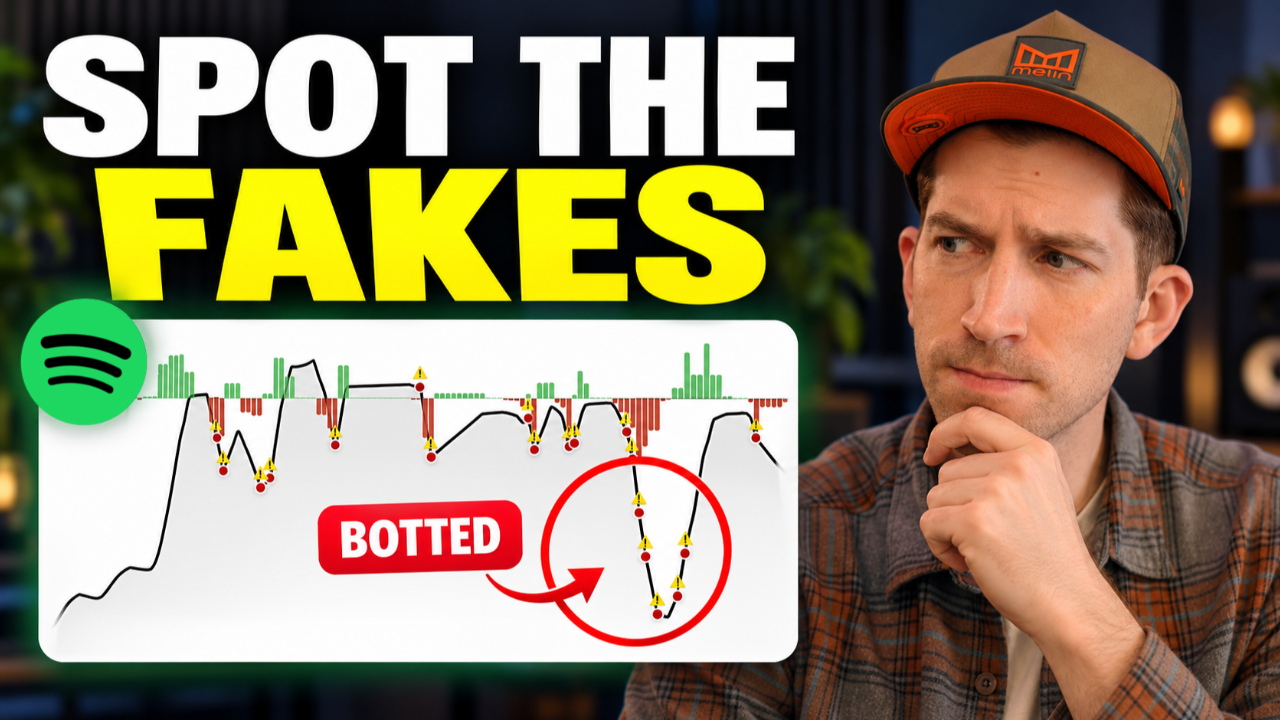
Here’s how I use artist.tools to look past follower counts, make sense of playlist growth, and ask better questions before trusting a Spotify playlist.
You find a Spotify playlist that looks like a great fit for your song. It has a big follower count, the music makes sense, and you’re hoping those listeners will discover you next. But how do you know what’s behind that number?
That’s where I use artist.tools. I open the playlist report, look through its follower history, and ask how people are finding it. The badge is useful, but I want to understand the graph before I decide what to make of the playlist.
I use this process with my team when we come across a playlist we haven’t worked with before. You don’t need to be a power user to follow along. I’m only using a portion of the features myself.
Disclosure: I paid for my own artist.tools subscription when I recorded this walkthrough. The video wasn’t sponsored.
1. Start with the exact Spotify playlist URL
Copy the playlist’s Spotify URL, paste it into the search bar in artist.tools, and open the full report. I like using the link because I want to look at the exact playlist, not another one with a similar name.
Before you dig into the numbers, check who owns it. An independent curator’s playlist and a Spotify-owned playlist can have very different growth stories. We’ll get to an example of that in a moment.
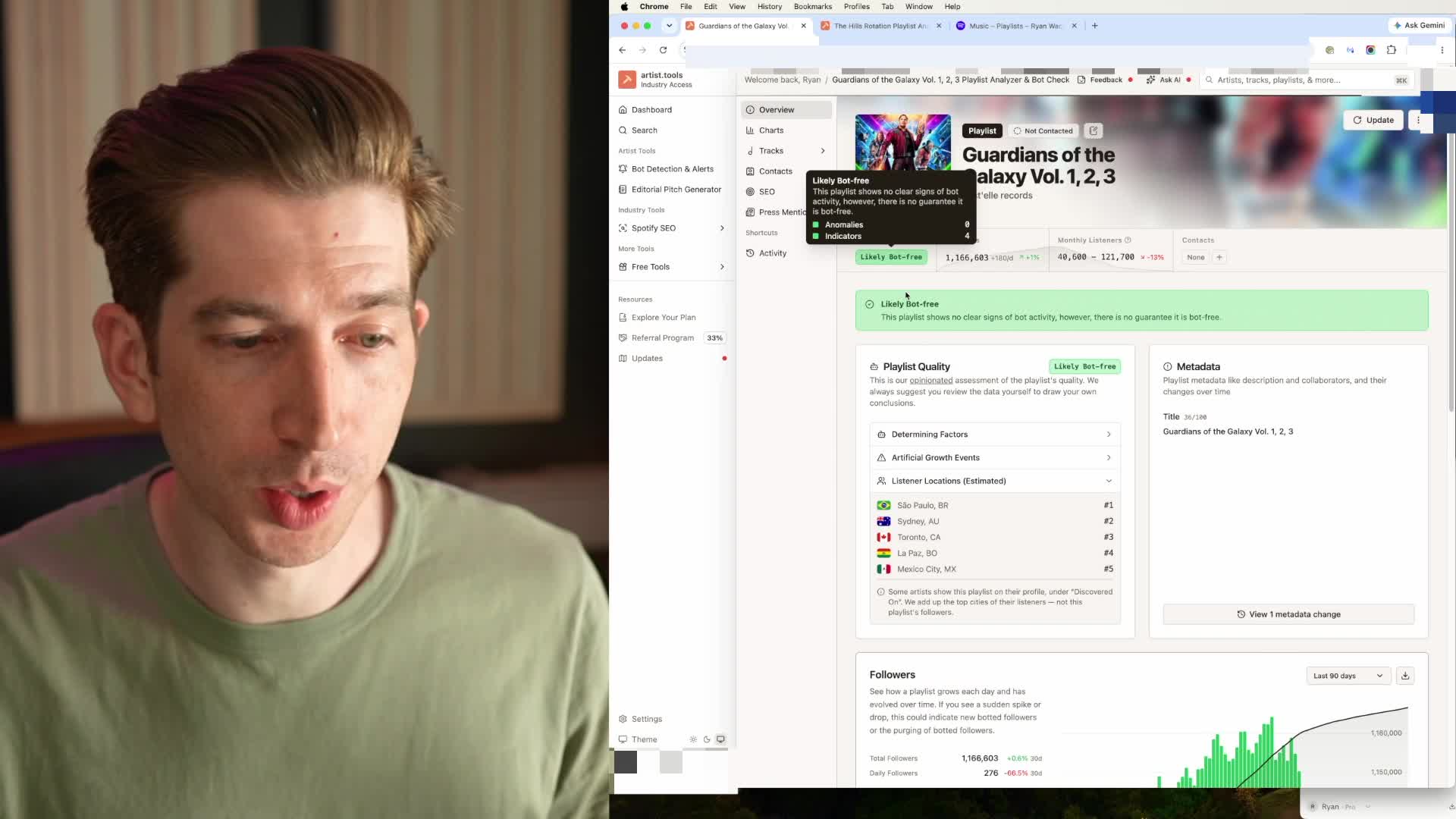
In my demonstration, I start with a Guardians of the Galaxy playlist. Its report shows a “Likely Bot-free” badge. That’s encouraging, but it’s the beginning of my review. I still want to see how the playlist got to where it is.
2. Look beyond the current follower count
A follower count gives you one number. The historical graph gives you a story.
I drag out the date range so I can see how the playlist has grown over time. Looking at a short window can hide the very thing you’re trying to understand. Was the growth fairly steady? Did most of it happen in one sudden jump? Has the playlist been losing followers for a while?
The Guardians example has a generally upward growth line over the period I review. That’s the kind of pattern I like to see: a playlist that appears to keep attracting an audience. It gives me something to investigate beyond an impressive total.
Here’s what I look at:
- The overall direction. Zoom out before judging one unusual day.
- The shape of the growth. Notice steady increases, sharp jumps, and changes in direction.
- The history around a dip. Look at what happened before it and how the follower count changed afterward.
A smooth graph doesn’t prove that every follower is real. It helps me decide which questions to ask next.
3. Investigate repeated drops followed by rapid rebounds
The pattern that really gets my attention is a big drop followed by a very fast climb back up. Then another drop. Then another climb.
When that keeps happening, I start wondering whether someone is trying to keep the follower number looking healthy. That’s a concern worth investigating. The graph alone can’t tell me who added accounts or exactly why followers disappeared.
So I slow down and ask a few questions:
- How big was the drop compared with the size of the playlist?
- How quickly did the followers come back?
- Has the same pattern happened more than once?
- Can I find a reasonable explanation for the new traffic?
You’re looking for a pattern you can understand. If the numbers keep bouncing back without a clear explanation, don’t let the total follower count do all the convincing for you.
4. Put follower dips in context
Here’s where it gets interesting: Spotify-owned playlists can have follower dips too.
I pull up Today’s Top Hits in the walkthrough, and the historical report has drops and warning markers. If your rule is “a red flag means the playlist is fake,” that example should make you pause.
A follower decline tells you the number went down. It doesn’t tell you the whole reason. Account removals, people unfollowing, and changes in discovery are possibilities to consider; a chart by itself doesn’t establish which explanation applies to a particular day.
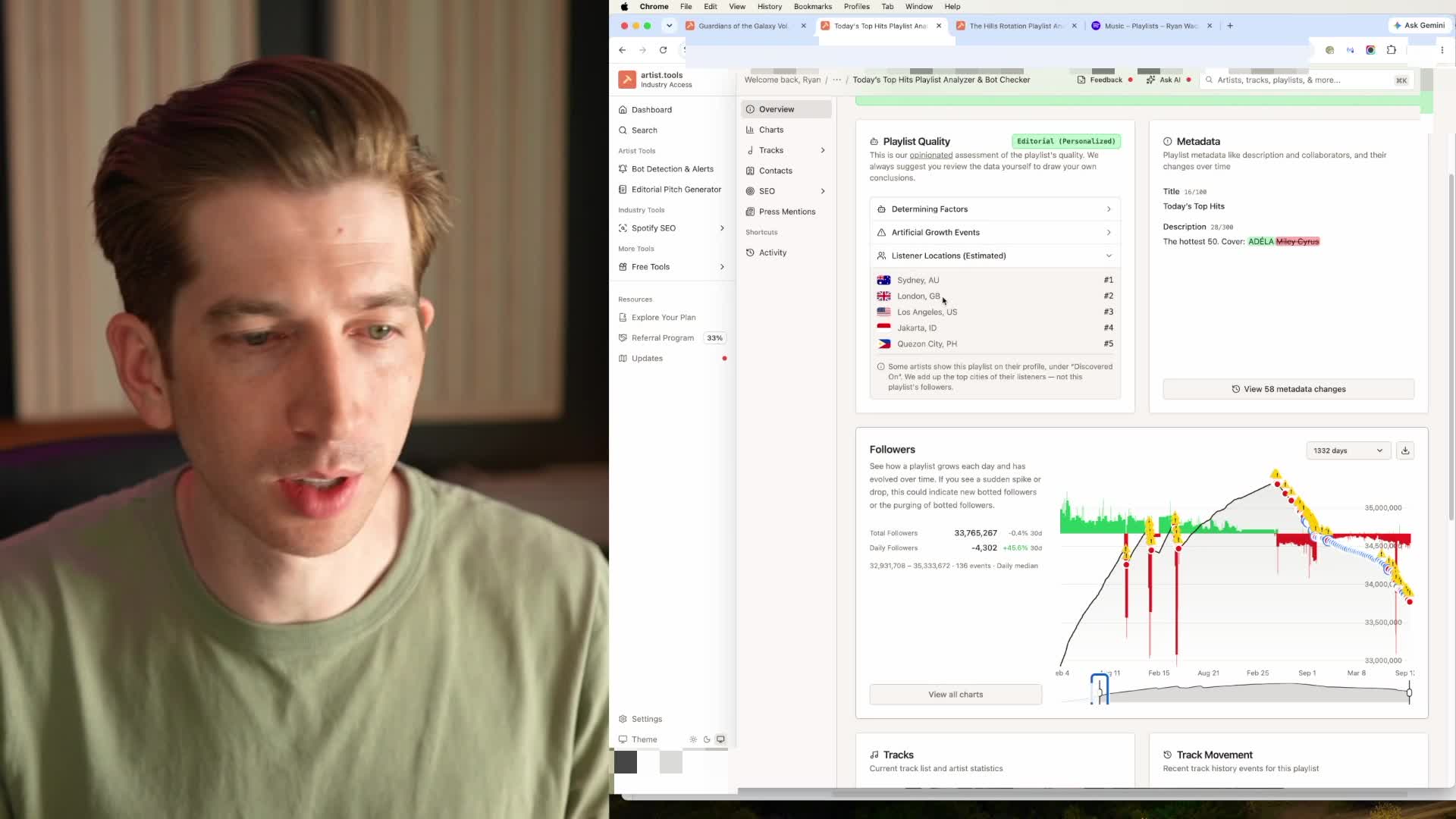
I compare the wider pattern. Does the playlist continue on roughly the same path after a dip, or does it repeatedly shoot back up? Has its overall direction changed over a longer period?
Those are different situations, and I don’t want to treat them as if they’re the same. I also can’t tell from this graph whether Spotify changed its homepage promotion. That would need separate evidence.
5. Ask how real listeners find the playlist
After the graph, I come back to a pretty simple question: How is anyone finding this playlist?
In the Guardians example, I look at Spotify search as a way listeners could discover it. That gives the growth a plausible explanation. Someone searches for music they want to hear, finds the playlist, and may choose to follow it.
Search isn’t the only possible route. A curator may have an audience elsewhere or promote the playlist in other ways. If you can’t find it in search, look for that context before drawing a conclusion.
The point is to connect the numbers to actual listeners. You want people who are interested in the music, not just a follower count that looks impressive on a report.
A checklist for your next playlist review
The next time you’re checking a playlist for your own music or an artist you manage, work through these steps:
- Copy the exact Spotify playlist URL and open its report.
- Check the curator and read the assessment.
- Expand the follower graph to see the longer history.
- Look closely at sharp drops, sudden jumps, and repeated rebounds.
- Compare those events with the playlist’s overall direction.
- Ask where its listeners could be coming from.
- Write down what you can see and what you still need to find out.
You don’t have to force a yes or no when the evidence is unclear. Sometimes the useful result of a review is knowing what needs a closer look.
Common questions
Does a follower drop mean a Spotify playlist uses bots?
No. I look at the surrounding history before drawing a conclusion. One dip and a repeating drop-and-rebound pattern raise different questions, and neither tells you the cause on its own.
Does a “Likely Bot-free” badge guarantee the playlist is safe?
No. I use the badge as a starting point, then look at the history and the explanation behind the assessment. It doesn’t guarantee that a placement will be right for your song or deliver a particular result.
What does artist.tools help me decide?
It helps me decide which playlists deserve a closer look. Having the historical graph in front of me makes it easier to spot patterns and ask better questions before trusting the follower count.
What does artist.tools say it bases a “Likely Bot-free” assessment on?
In the report I demonstrate, the explanation refers to “artificial growth events.” Read the assessment alongside the historical graph so you can understand what it’s flagging. The example shows what was displayed when I recorded it; it isn’t a complete description of the tool’s current detection methods.
Are bots the only kind of playlist traffic I should watch out for?
No. Low-quality advertising can bring clicks without much interest in the music. Ask whether the traffic brings you listeners who actually engage with your song. A cheap click or a large number isn’t enough to answer that.
Make a better-informed playlist decision
I want you to feel more comfortable looking at a playlist report and figuring out what deserves your attention. Start with the URL, give the graph some time, and ask how listeners are finding the music.
That’s what I value about artist.tools: it gives me more context when my team and I are looking at an unfamiliar playlist. The more you understand that context, the less you have to rely on somebody telling you their numbers are great.
If you’re deciding where playlist promotion fits into your release, read my guide to whether artists should consider Spotify playlist promotion. And for more practical walkthroughs, join me on the Indie Music Academy YouTube channel.